Why Your Home Carrier Roaming is a Rip-Off in Mexico City
Let's be blunt: paying your home carrier for international roaming in Mexico City is often akin to lighting money on fire. The major North American carriers, like AT&T, Verizon, and T-Mobile, offer roaming packages that, while convenient, are priced at a significant premium, especially for shorter trips. For a typical 7-day visit, a traveler might opt for a daily pass ranging from $10 to $15, quickly accumulating to $70 to $105 for data that is often throttled or prioritized lower than local traffic.
Consider a common scenario: a traveler from the US with Verizon. Their 'TravelPass' costs $10 per day, allowing usage of their domestic plan's data, talk, and text. Sounds okay, until you realize that for a week, you're paying $70. And that's before considering any potential overage charges or the quality of service, which can be inconsistent when roaming on a partner network. This isn't unique to Verizon, similar structures exist across carriers, making it a universal pain point for budget-conscious travelers. The underlying issue is often the wholesale rates carriers pay each other, which are then passed on with a healthy markup.
| Carrier Roaming Plan (7-Day Trip) | Typical Cost | Data Allocation | Hidden Limitations |
|---|---|---|---|
| Verizon TravelPass | $70 ($10/day) | Domestic plan allowance | After X GB, speeds reduced to 2G |
| AT&T International Day Pass | $70 ($10/day) | Domestic plan allowance | Daily limit resets at midnight US ET, not local time |
| T-Mobile Magenta MAX (included) | Included (plan dependent) | 5GB high-speed, then 256 Kbps | Speeds often capped, higher latency |
These plans, while offering the perceived convenience of using your existing number, often come with significant caveats. The data speed limitations, for instance, can render many common apps frustratingly slow. Imagine trying to hail an Uber or Google Maps directions when your data is throttled to 2G speeds. It's a false economy, especially when a mere $8 can get you a dedicated local data connection with much better performance.
The eSIM Advantage, Beyond Just Price
The primary draw of an eSIM for budget travel in Mexico City is undeniably the cost savings. But the benefits extend far beyond just keeping more pesos in your wallet for tacos al pastor. From a technical standpoint, eSIMs offer a direct connection to a local network, which translates to better performance and reliability.
When you use an eSIM, you're effectively connecting directly to a Mexican mobile network operator (MNO) as a local subscriber, albeit for data services. This means you bypass the often circuitous routing of international roaming traffic that can introduce latency and reduce throughput. Your data isn't being tunneled back to your home country's network operations center before reaching its destination, which is a common practice with traditional roaming.
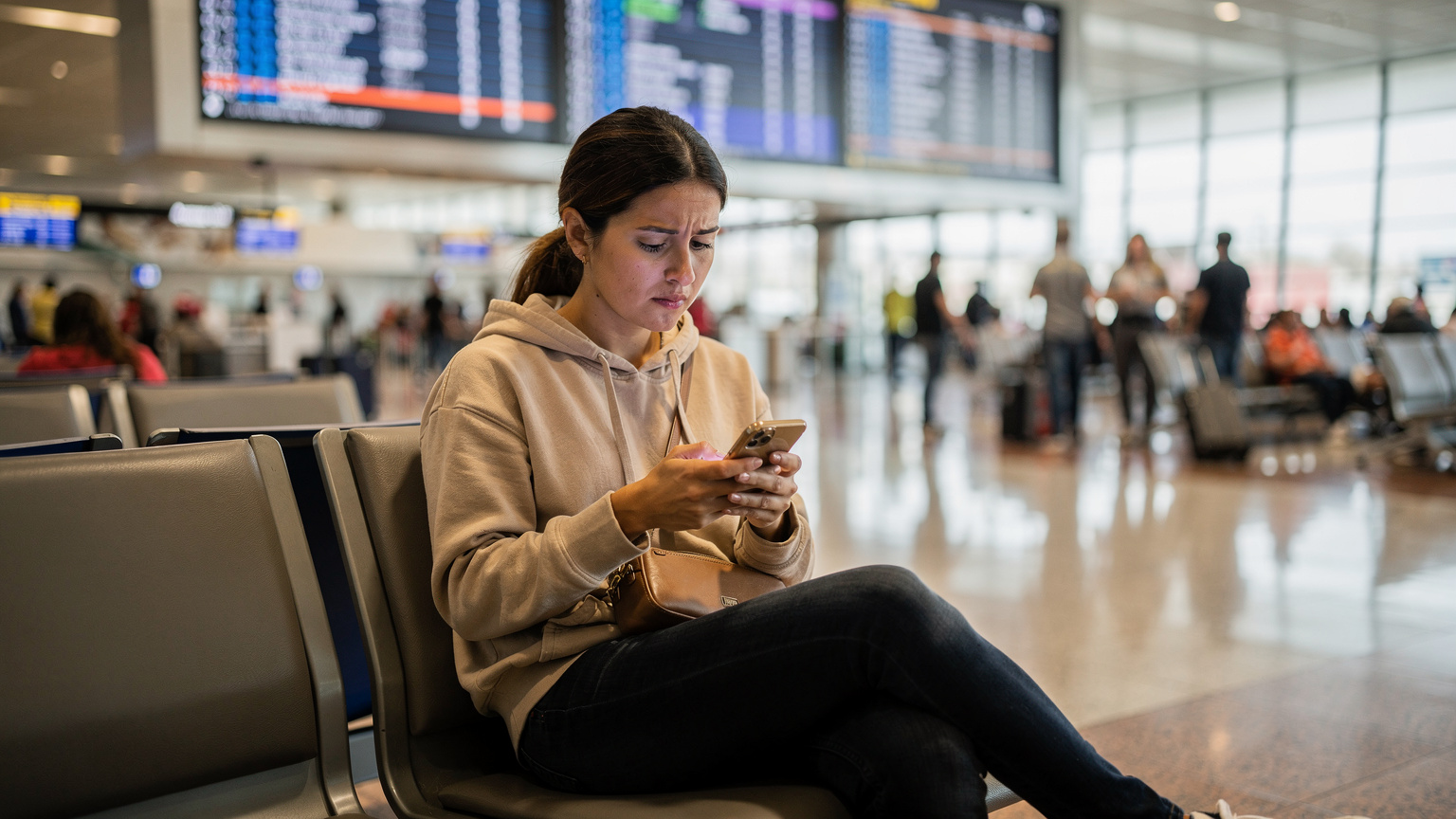
Another significant advantage is the ability to maintain your home number for calls and texts while using the eSIM for data. This dual-SIM functionality, supported by most modern smartphones, is a game-changer. You can keep your primary SIM active for receiving important calls or two-factor authentication SMS messages, while all your data traffic flows over the eSIM. This segregation ensures you're not paying exorbitant roaming rates for every WhatsApp message or Google search. It's a nuanced technical advantage, essentially creating a software-defined multi-homed device, optimizing both cost and functionality.
For those interested in exploring more about seamless transitions with eSIMs, our guide on Boarding Gate to Boardroom: Your 2026 eSIM Guide for Seamless Transitions offers further insights into managing connectivity on the go, applicable whether you're heading to a business meeting or a backpacking adventure.
What is an eSIM and How Does it Work?
An eSIM, or embedded Subscriber Identity Module, is essentially a small chip permanently installed in your phone that functions as a digital SIM card. Instead of swapping physical plastic cards, you download a 'profile' onto this chip. This profile contains all the necessary information to connect to a mobile network, including your subscriber identity and authentication keys. It's provisioned remotely, usually via a QR code or manual entry, making setup incredibly straightforward.
From a network perspective, the eSIM acts just like a physical SIM, registering with the local Mobile Switching Center (MSC) and HLR/HSS (Home Location Register/Home Subscriber Server) to gain access to the network's radio access technologies (RATs) like 4G LTE or 5G NR. The key difference is the flexibility: you can switch between different eSIM profiles on the fly, without needing to open your SIM tray.
eSIM vs. Physical SIM Cards for Travel
While physical SIM cards are still an option in Mexico City, requiring you to locate a carrier store, present ID, and potentially deal with language barriers, eSIMs offer unparalleled convenience. No more fumbling with tiny trays and pins at the airport. You can purchase and activate an eSIM before you even land, ensuring you have connectivity the moment your plane touches down at Mexico City International Airport (MEX).
Moreover, modern phones with eSIM capabilities often support both a physical SIM and multiple eSIM profiles simultaneously. This means you can keep your home physical SIM active for calls and texts, while using an eSIM for data in Mexico City. This setup is incredibly practical for travelers who need to maintain their home number for banking apps or two-factor authentication, which can be a real headache to manage otherwise.
Navigating Mexico City's Network Landscape: Telcel, AT&T, and Movistar
Mexico City's mobile network infrastructure is robust, primarily dominated by three major players: Telcel, AT&T Mexico, and Movistar. Understanding their strengths and weaknesses can help you choose an eSIM that provides optimal performance for your specific needs.
Telcel, the Dominant Player
Telcel, a subsidiary of América Móvil, is by far the largest and most ubiquitous carrier in Mexico, especially in Mexico City. They boast the widest coverage and generally the fastest speeds. Their network supports a broad range of 4G LTE bands, including B2 (1900 MHz), B4 (AWS 1700/2100 MHz), B5 (850 MHz), and B7 (2600 MHz). For 5G, they are actively deploying on n78 (3500 MHz) and n41 (2500 MHz), offering impressive download speeds that can reach well over 200 Mbps in central areas like Roma Norte or Polanco, with upload speeds typically in the 30-50 Mbps range.
For an eSIM user, connecting to Telcel's network (often via a reseller agreement) means enjoying reliable service across the sprawling metropolis. Expect strong signals even in deeper parts of the Metro system or inside some of the older, thicker-walled buildings in the Historic Center. Their network capacity is significant, meaning less congestion during peak hours compared to smaller operators.
AT&T Mexico, a Strong Contender
AT&T Mexico is the second-largest carrier and offers competitive service, particularly in urban areas. Their 4G LTE network primarily utilizes B2, B4, and B5, with some B7. 5G deployment is also underway, leveraging similar bands to Telcel. In central Mexico City, AT&T speeds are often on par with Telcel, with typical downloads between 100-180 Mbps and uploads around 20-40 Mbps. Coverage within the city is excellent, though it might thin out faster than Telcel's in more remote, less populated areas surrounding the capital.
If your eSIM partners with AT&T Mexico, you can still expect a very solid experience. Their network is generally well-maintained and provides good performance for streaming, video calls, and navigation. The choice often comes down to the specific reseller's agreement and pricing, as the underlying network quality in the city is quite comparable to Telcel's.
Movistar, a Budget-Friendly Option
Movistar, owned by Telefónica, is the third major player. While generally offering slightly less extensive coverage than Telcel, particularly in rural regions, its network in Mexico City is still quite robust. Movistar operates on 4G LTE bands B2, B4, B5, and B7. Their 5G rollout is also in progress. Speeds tend to be slightly lower than the top two, with downloads typically ranging from 60-120 Mbps and uploads from 15-30 Mbps in urban centers.
For budget travelers, Movistar can be a viable option if the eSIM plan utilizes their network. It's often the network that many MVNOs (Mobile Virtual Network Operators) and eSIM providers will partner with due to potentially lower wholesale costs. While not as dominant as Telcel, it still provides ample speed for most travel needs, from mapping to social media and light streaming.
Breaking Down the $8 eSIM Plan for Mexico City
The beauty of eSIMs lies in their flexibility and localized pricing. For Mexico City, a compelling example is a 1GB data plan valid for 7 days, priced around $8. This offers a stark contrast to the $60+ roaming fees from home carriers for a similar duration. Let's dissect why this specific plan is so effective for budget-conscious travelers.
A 1GB plan for 7 days might sound modest, but for typical tourist usage, it's often more than enough. Consider your data consumption habits while traveling: navigation (Google Maps, Waze), ride-sharing (Uber, DiDi), social media (Instagram, WhatsApp), and light browsing. Most tourists aren't streaming Netflix in 4K or downloading large files constantly. The key is mindful usage, which we'll cover later.
| Feature | $8 eSIM Plan (Example) | Home Carrier Roaming (7-Day Avg.) |
|---|---|---|
| Cost | $8 USD | $60 - $105 USD |
| Data Included | 1GB High-Speed | Varies (often throttled after initial allowance) |
| Validity | 7 Days | 7 Days (daily charges) |
| Network Access | Local Mexican 4G/5G (e.g., Telcel, AT&T MX) | Partner network (e.g., Telcel, Movistar) |
| Voice/SMS | Data-only (VoIP apps recommended) | Home plan voice/SMS |
| Ease of Setup | QR code activation, minutes | Automatic (if plan activated) |
This comparison clearly illustrates the financial disparity. For a minimal outlay, you secure reliable data access directly on a local network. This isn't just about saving money; it's about getting a more efficient connection. Local networks often provide lower latency, which is crucial for real-time applications like maps or video calls, even if the peak theoretical download speeds are similar.
Data-Only Plans and VoIP Considerations
Most budget-friendly eSIMs are data-only. This means they don't include a local phone number for traditional calls or SMS. However, in 2026, this is rarely an issue for travelers. VoIP (Voice over Internet Protocol) apps like WhatsApp, Google Meet, and Messenger provide perfectly adequate voice and video calling over data. For local communication, WhatsApp is king in Mexico City, used by almost everyone from tour guides to restaurant owners. Just ensure your home number is active on WhatsApp before you leave.
A small technical note: some data-only eSIMs might be configured with a CGNAT (Carrier-Grade Network Address Translation) setup or be IPv6-only. While generally transparent to the end-user for common browsing and app usage, this can sometimes cause issues with specific VPN configurations or niche applications requiring direct IPv4 addressability. For 99% of travelers, this is a non-issue, but it's worth keeping in mind if you experience unusual connectivity problems with highly specific software.
How to Install and Activate Your Mexico City eSIM
One of the biggest advantages of an eSIM is the straightforward installation process. You can often complete it in minutes, even before you've left home. Here’s a general procedure:
- Purchase your eSIM: Visit an eSIM provider's website. For Mexico City, look for plans specifically for Mexico or North America. You can find options on pages like our Mexico eSIM page. Select the data package and validity period that suits your trip (e.g., 1GB for 7 days).
- Receive your QR Code: After purchase, you'll typically receive an email containing a QR code. This code holds all the necessary profile information for your eSIM.
- Scan and Install (iOS):
- Go to Settings > Cellular (or Mobile Data) > Add eSIM.
- Choose Use QR Code and scan the code.
- Follow the prompts to label your new eSIM (e.g., "Mexico Data").
- When prompted, set your new eSIM as your Default Line for Cellular Data, but keep your primary SIM active for calls (if desired).
- Ensure Data Roaming is turned OFF for your primary SIM to avoid accidental charges, and ON for your new eSIM.
- Scan and Install (Android):
- Go to Settings > Network & Internet > SIMs (or Mobile Network) > Add more (or +) > Download a SIM (or Use 2 SIMs).
- Select Download a SIM (or Use 2 SIMs) and scan the QR code.
- Follow the on-screen instructions, labeling your eSIM and configuring data preferences.
- Crucially, verify that your home SIM's data roaming is disabled, and the eSIM's data roaming is enabled.
- Verify Connectivity: Once installed, your phone should connect to the local network. Check for a network indicator (4G/LTE/5G) and try opening a browser or an app like WhatsApp. If it doesn't connect immediately, a quick restart of your phone can often resolve it.
One crucial detail for some Android devices, particularly older models or those from certain regions, is the APN (Access Point Name) setting. While most eSIMs auto-configure this, occasionally you might need to manually enter the APN details provided by your eSIM vendor. This typically involves navigating to Settings > Mobile Network > Access Point Names and adding a new APN. For example, some carriers might use "internet.mnc001.mcc334.gprs" as a generic APN, but always refer to the specific instructions from your eSIM provider.
Troubleshooting Common eSIM Setup Issues
Even with clear instructions, issues can arise. Here are a few common problems and their solutions:
- No Network Connection After Installation:
Solution: Double-check that the eSIM is set as the primary data line and that data roaming is enabled for the eSIM (and disabled for your home SIM). Sometimes, simply restarting your phone forces it to re-register with the network. - Slow Speeds or Intermittent Connectivity:
Solution: Confirm you're on the correct APN. If auto-configured, sometimes resetting network settings (Settings > General > Transfer or Reset iPhone > Reset > Reset Network Settings on iOS, or similar on Android) can help. Also, ensure your device supports the local network bands (e.g., B7 for Telcel 4G, n78 for 5G). - Calls/Texts Not Working (but data is):
Solution: Remember, most budget eSIMs are data-only. Use VoIP apps for calls and rely on your home SIM for SMS if needed. If your home SIM isn't receiving SMS, ensure it's still active and not disabled by mistake.
For more general connectivity questions or specific troubleshooting, our FAQ section provides answers to frequently asked questions about eSIMs.
Common Connectivity Gotchas and How to Avoid Them
Even with the best planning, travel tech can throw curveballs. Being aware of potential pitfalls can save you a lot of frustration (and pesos) in Mexico City.
VoLTE and VoWiFi Compatibility Issues
One of the most common issues travelers encounter with non-native SIMs or eSIMs is related to Voice over LTE (VoLTE) and Voice over Wi-Fi (VoWiFi). While your data-only eSIM won't support traditional VoLTE or VoWiFi directly, the issue often arises with your home SIM if you've disabled it entirely for data. If your home carrier relies heavily on VoLTE for calls (which most do in 2026), and you're in an area with poor 2G/3G coverage, your traditional calls might fail if your home SIM can't access data via your eSIM for VoLTE purposes. This is especially relevant if your home carrier has refarmed its legacy 2G/3G networks.
To mitigate this, ensure your phone settings allow your home SIM to use the eSIM's data for calls, if that option is available (often labeled "Allow Cellular Data Switching"). However, remember that using your home SIM for calls, even over data, might still incur roaming charges from your home carrier depending on your plan. The safest bet for voice communication remains VoIP apps over your eSIM data.
Public Wi-Fi Security and Reliability
Mexico City offers numerous public Wi-Fi hotspots, especially in cafes, restaurants, and some public squares. While convenient, rely on them with caution. Public Wi-Fi networks are often unencrypted and susceptible to various security risks, including Man-in-the-Middle (MitM) attacks. Moreover, their reliability and speed can vary wildly.
Using a VPN (Virtual Private Network) is highly recommended when connecting to any public Wi-Fi. A good VPN encrypts your traffic, protecting your sensitive data. For crucial transactions like online banking or accessing work-related accounts, stick to your eSIM data, which offers a more secure and predictable connection. Think of public Wi-Fi as a supplement, not a replacement, for your eSIM data.
Unexpected Data Drain and Background App Refresh
Even with a 1GB plan, unexpected data drain can be a problem. Many apps refresh in the background, download updates, or sync data without you actively using them. This can quickly eat into your limited data allowance.
To combat this, actively manage your apps. Here's a quick guide:
- Disable Background App Refresh: On iOS, go to Settings > General > Background App Refresh. On Android, it's typically in Settings > Network & Internet > Data Saver or individual app settings.
- Turn Off Auto-Downloads/Updates: Prevent apps, photos, and system updates from downloading automatically over cellular data. Configure these to only occur on Wi-Fi.
- Limit Streaming Quality: If you must stream video, opt for lower quality settings. YouTube, Netflix, and other services allow you to manually adjust this.
- Download Maps Offline: Before you head out for the day, download offline maps for Mexico City in Google Maps or Maps.me. This saves significant data while navigating.
Maximizing Your eSIM Data: Tips for Budget Travelers
With an $8 eSIM, every megabyte counts. Here's how to stretch your data further while still enjoying all the digital conveniences Mexico City has to offer:
- Offline Maps are Your Best Friend: This is perhaps the single biggest data saver. Download entire regions of Mexico City (like the Historic Center, Roma, Condesa, Coyoacán) in Google Maps before you leave your accommodation or any Wi-Fi zone. Navigation will still work perfectly without active data.
- Prioritize Wi-Fi for Heavy Tasks: Always use hotel, hostel, or café Wi-Fi for large downloads, app updates, or extensive video streaming. Save your eSIM data for when you're truly on the go and have no other option.
- WhatsApp for Everything: As mentioned, WhatsApp is ubiquitous in Mexico. Use it for all your calls, texts, and even sharing photos. It's incredibly data-efficient compared to sending large media files via email or other messaging apps.
- Monitor Data Usage Regularly: Both iOS and Android provide built-in data usage trackers. Check these daily to understand which apps are consuming the most data and adjust your habits accordingly.
- Use Data Saver Modes: Many browsers (like Chrome) and social media apps have built-in data saver modes that compress images and videos, reducing overall data consumption. Enable these whenever possible.
For more insights on managing connectivity across various destinations, you might find our article on Europe-42 eSIM 2026: Beyond the Usual Grand Tour Stops useful, as many of the data-saving principles are universally applicable.
When an eSIM Might Not Be Your Best Option
While eSIMs are generally fantastic for budget travel, there are niche scenarios where they might not be the absolute best fit. Understanding these can help you make an informed decision.
Very Long-Term Stays or Heavy Data Users
If you're planning an extended stay in Mexico City, say several months or more, and are a very heavy data user (think 50GB+ per month for constant streaming, large file uploads, or tethering), a local physical SIM card might become more cost-effective. Local carriers like Telcel offer truly unlimited or very high-data plans that, over several months, can sometimes beat the cumulative cost of repeated eSIM purchases. These plans often come with local voice and SMS included, which might be beneficial for establishing a temporary local presence.
However, this requires visiting a physical store, providing identification (which can be a hassle for tourists), and possibly dealing with a contract. For anything less than a month, or for moderate data usage, the convenience and immediate activation of an eSIM generally outweigh the marginal per-GB savings of a long-term local SIM. For digital nomads frequently moving between countries, the flexibility of eSIMs for various regions, like those discussed in Fiji & Beyond: Island Hopping with an eSIM in 2026, is often prioritized over the lowest possible per-GB cost in a single location.
Devices Without eSIM Support
This might seem obvious, but if your phone doesn't support eSIM technology, then an eSIM is simply not an option. Most flagship smartphones released since 2018-2019, including recent iPhones (XS and newer, excluding some specific regional models), Google Pixel phones (3 and newer), and many Samsung Galaxy models, are eSIM compatible. However, older devices or certain budget Android phones may not have an eSIM chip.
Before planning your connectivity strategy, always check your phone's specifications to confirm eSIM compatibility. If your device doesn't support it, your alternatives are limited to traditional physical SIM cards (local or roaming) or relying solely on Wi-Fi. For budget travelers without eSIM-compatible phones, purchasing a physical local SIM upon arrival from Telcel or AT&T Mexico would be the next best option to avoid expensive roaming.
Requiring a Local Mexican Phone Number
While VoIP apps largely negate the need for a traditional local number for calls, there might be specific situations where a physical Mexican phone number is genuinely necessary. This could include setting up local banking accounts, registering for certain government services, or receiving calls from local landlines that don't support VoIP numbers (though this is increasingly rare). Most budget eSIMs are data-only and do not come with a local number.
If you anticipate needing a traditional local Mexican phone number, then a physical SIM card from a local carrier like Telcel or AT&T Mexico would be the appropriate choice. These typically come with a local number bundled with data, talk, and text packages. Weigh the convenience of an eSIM against the specific functional requirement of a local number before making your decision.
Frequently Asked Questions
How much data do I really need for a week in Mexico City?
For a typical tourist using navigation, social media, messaging, and light browsing, 1GB of data for a week is often sufficient. By downloading offline maps and prioritizing Wi-Fi for heavy tasks, many travelers can easily stay within this limit, saving significantly.
Can I use my home phone number for calls while using a Mexico City eSIM for data?
Yes, most modern smartphones support dual-SIM functionality. You can keep your home SIM active for calls and texts (which may incur roaming charges for calls) while directing all your data traffic through the Mexico City eSIM. Ensure data roaming is OFF for your home SIM.
Which Mexican network does an eSIM typically connect to?
eSIMs for Mexico City usually connect to one of the major local carriers: Telcel, AT&T Mexico, or Movistar. Telcel generally offers the widest coverage and fastest speeds, particularly in urban areas and for 5G (n78, n41 bands).
Are there any specific phone settings I need to change for an eSIM to work in Mexico City?
After installing your eSIM, ensure it is set as your default line for cellular data. Crucially, turn off data roaming for your primary (home) SIM to prevent unexpected charges. For some Android phones, you might need to manually configure the APN settings provided by your eSIM vendor if it doesn't auto-configure.
What are the average download and upload speeds I can expect in Mexico City with an eSIM?
On Telcel or AT&T Mexico's 4G LTE/5G networks, you can expect download speeds ranging from 100-200 Mbps in central Mexico City, with upload speeds typically between 20-50 Mbps. Movistar might offer slightly lower speeds, around 60-120 Mbps download.
Is it safe to rely on public Wi-Fi in Mexico City?
Public Wi-Fi networks in Mexico City can be convenient, but they are often unencrypted and less secure. It's recommended to use a VPN when connecting to public Wi-Fi and to avoid sensitive transactions. Your eSIM data provides a more secure and reliable connection.